Incentive payouts in FMCG need one approved file for every payee
November 18, 2026
Puneet Gupta
Puneet Gupta
Key Insights
69% of employers surveyed in India are adopting flexi-staffing models (TeamLease Services, 2025).
In this blog:
Why FMCG payouts split into many files
Five payout pain points FMCG teams raise
One month's payout, one approved file
What one approved payout file means for each FMCG leader
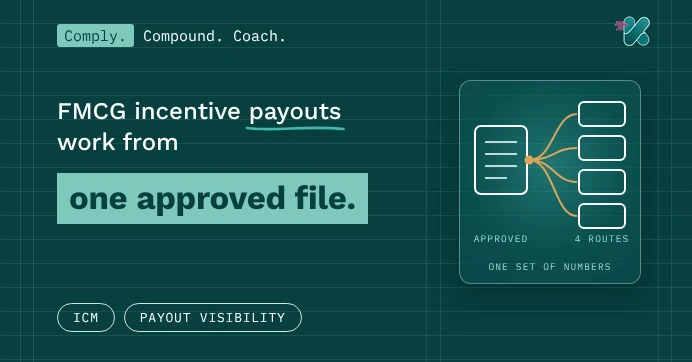
An FMCG incentive month ends in many files. One for payroll. One for the staffing agency. One per distributor for their salesmen. Credit notes for the channel. Each file is built by hand, from a slightly different version of the numbers. Then a salesman asks when he'll be paid, and nobody is sure. Payouts work when one approved file feeds every payee.
Ask your finance head this week: how many payout files went out last month?
69% of employers surveyed in India are adopting flexi-staffing models (TeamLease Services, 2025).
In this blog:
Why FMCG payouts split into many files
Five payout pain points FMCG teams raise
One month's payout, one approved file
What one approved payout file means for each FMCG leader
An FMCG incentive month ends in many files. One for payroll. One for the staffing agency. One per distributor for their salesmen. Credit notes for the channel. Each file is built by hand, from a slightly different version of the numbers. Then a salesman asks when he'll be paid, and nobody is sure. Payouts work when one approved file feeds every payee.
Ask your finance head this week: how many payout files went out last month?
Table Of Content
Why FMCG payouts split into many files
FMCG field teams are rarely one group. On-roll salesmen, agency staff and distributor salesmen often work the same beat. The flexible share keeps growing. TeamLease found 69% of employers surveyed are adopting flexi-staffing.
Source: TeamLease Services, Employment Outlook Report, May 2025
Indian Staffing Federation members employed 1.91 million formal flexi workers in FY 2025-26.
Each group gets paid through a different route. Payroll, agency, distributor, credit note. When each route has its own file, the numbers drift apart.
More payee groups mean more files, unless one approval feeds them all.
Five payout pain points FMCG teams raise
1. Each payee group gets its own spreadsheet
What we heard: one FMCG company's third-party staff use its own app. Its employees' quarterly incentives are fully manual.
Two groups, two processes, two sets of numbers. Finance reconciles them by hand every quarter.
Run every group on one rule engine. Keep one ledger. Then route each group's payout to its own channel. See how manual handoffs create payout errors.
Fix: one engine and one ledger, many payout routes.
2. Calculation and payment are disconnected
What we heard: one FMCG team asked a simple question. Does the system pay out, or only compute?
Many incentive tools stop at a number. Someone then rebuilds it into a payroll file. Errors creep in at the handoff.
Approve the payout once. Send the approved advice to payroll by API or file. Get a reverse feed back when it's paid.
Fix: send approved payout advice straight to payroll.
3. Salesmen don't know when they'll be paid
What we heard: one FMCG team's salesmen see nothing until around the 25th. They learn the rest after payout.
A salesman sees his incentive late. Then he waits again to learn when it will be paid. Every step creates a phone call to his ASM.
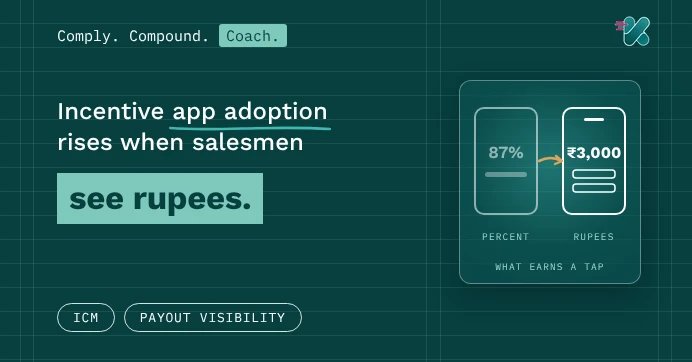
Show the payout's status in the app. Approved, awaiting payment, paid, with the date and reference. Flag failed payments too, such as a changed bank account. Fix them before the salesman calls.
Fix: show every salesman his payout status and date.
4. Partner invoices arrive late or unmatched
What we heard: one FMCG company asked about partner invoices. Could partners raise them against payouts?
Agencies and distributors must invoice before they're paid. Their invoices rarely match the approved amount. Finance chases both sides.
Let partners upload invoices against the approved payout itself. Then the match is built in. Share only the payout data each partner needs.
Fix: link partner invoices to the approved payout.
5. Totals don't reconcile across routes
Each route closes on its own. Payroll confirms its total. The agency confirms another. Credit notes post later. Nobody checks that the four totals add back to the approved amount.
Run one control check every month. The approved total should equal the sum paid, plus holds. Each route also carries its own tax treatment. On-roll staff fall under salary tax. Agency staff go through the agency's payroll. Distributor credit notes carry GST. Agree each with finance and tax.
Fix: reconcile approved and paid totals across every route, every month.
Each fix keeps every payee on the same approved numbers.
One month's payout, one approved file
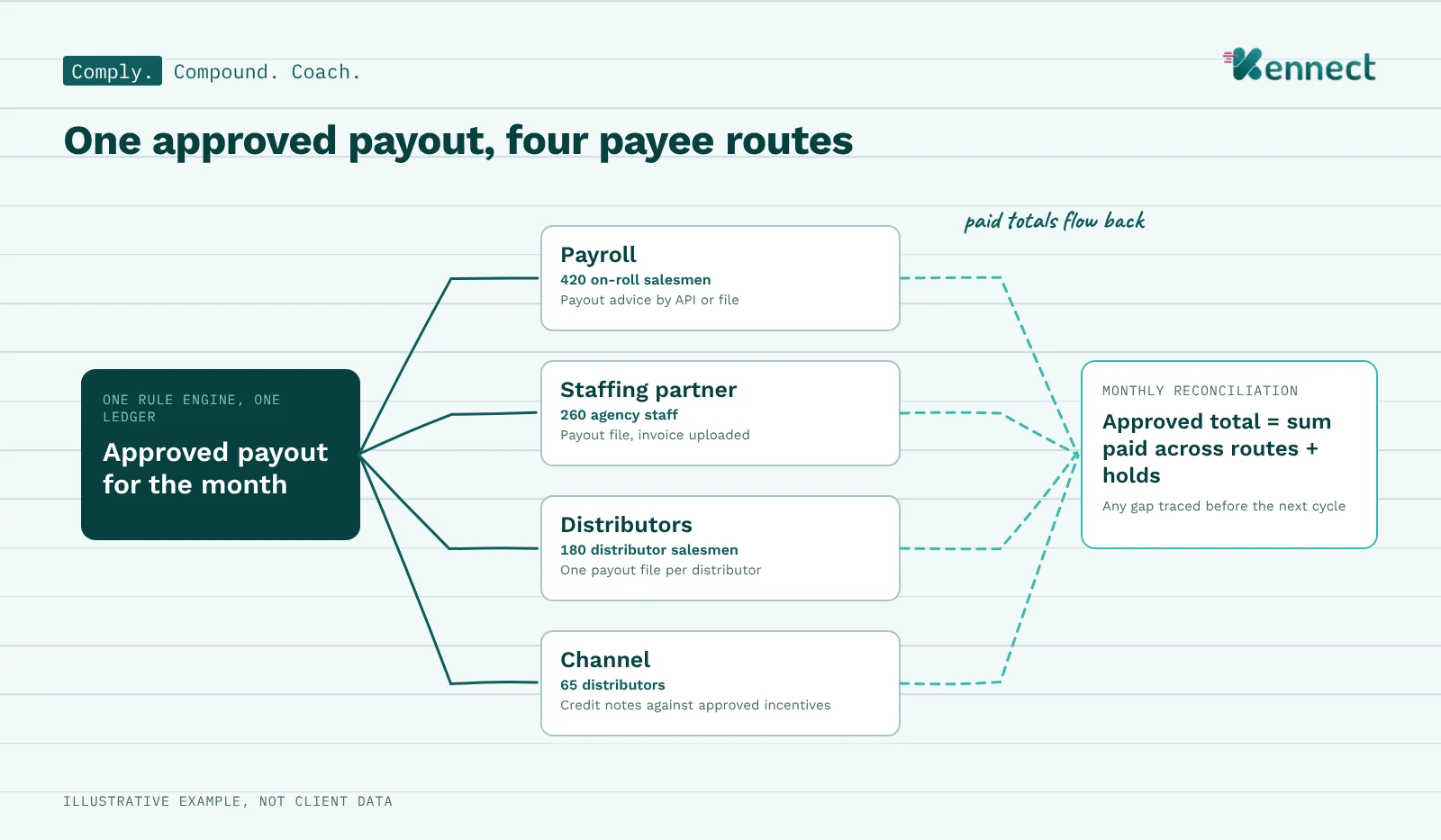
Here is how one approval can feed four payee routes.
Payee group
Payees
Route
Output
On-roll salesmen
420
Payroll
Payout advice by API or file
Agency staff
260
Staffing partner
Payout file; partner invoice uploaded
Distributor salesmen
180
Distributor
Payout file per distributor
Distributors
65
Channel
Credit notes against approved incentives
Illustrative example, not client data.
All four outputs come from the same approved numbers. When payroll confirms payment, each salesman sees the date and reference. At month-end, the four route totals reconcile back to the one approved total. For channel credit notes, see distributor and retailer incentives on shared numbers.
One approval, four routes, one set of numbers.
What one approved payout file means for each FMCG leader
Payout errors reach the CEO as complaints and the CFO as rework. One approved source helps both, and more.
Leader
Their question
What this approach gives them
CEO or MD
Why are payout complaints reaching me?
Every payee sees status, date and reference
CFO
How many versions of the payout exist?
One rule engine, one ledger and a monthly reconciliation
Sales head (CSO or NSM)
When will my team be paid?
Approved, awaiting payment and paid, in the app
CHRO or payroll head
Can payroll trust the file?
Approved payout advice, by API or file
Procurement or partner management
Do agency invoices match payouts?
Partners upload invoices against approved amounts
CIO or IT head
How does this connect to payroll?
API or file, with a reverse payment feed
Internal audit
Can we trace a payment to its rule?
Each payout tied to its approval chain
One approved file serves finance, HR, partners and the field together.
How Kennect and KAI close the payout loop
Kennect is an AI-led sales performance and incentive compensation management platform. One rule engine runs salesman incentives, agency and distributor salesman payouts, and channel schemes.
Comply: one ledger. Every payee group runs on one rule engine. Finance sees one ledger. On-roll staff, agency staff and distributor salesmen can each have their own schemes.
Comply: payout advice. Once approved, payout advice goes to payroll by API or file. See integrations. A reverse feed records when each payment was made.
Comply: partner invoices and credit notes. Partners upload invoices against approved payouts. Distributors can be paid through credit notes.
Coach: payout status. Each salesman sees approved amounts, then the payment date and reference.
KAI in practice. A salesman asks why this month's payout is lower than he expected. KAI Exceptions names the missed condition and the gap. No call to his ASM is needed.
Kennect turns many payout files into one approved source of truth.
How many payout files did finance build last month?
See one approval feed payroll, agencies and distributors.
Run one monthly control. The approved total should equal the sum paid across every route. Add any amount held back. Investigate any gap before the next cycle.